
Semester Grade Calculator
Is your semester ending near? Or are you curious enough to see what your current academic performance will hold in the future? This semester grade calculator is here to help you see your grades before the results day comes.
Free and accurate semester calculation, including final exam weighting!
Studying wisely is one thing, but keeping an eye on where your academic journey is going, what your current standing is, and what you need to do to achieve your desired rank is another important thing you can do for yourself. That’s where this semester grade calculator comes in to help you know your scores. Just by entering categories, their weights, and scores, you will know your term average. It is best for the calculation of quarters that follow a weighted or unweighted grading system.
Want to calculate grades other than semester? Try our Grade Calculator or GPA Calculator to accurately calculate grades weighted or unweighted for any class.
What is Semester Grade Calculator?
This semester grade calculator is an online tool designed to help students, teachers, and parents calculate the total grades for a subject over a quarterly period. So, estimating your educational progress is not confusing or stressful at all for anyone. It will help you know your performance before the result card comes out, and it will be too late to do anything.
How to Use This Semester Grade Calculator
Calculating semester marks manually is indeed slightly complex, but with our tool, you can calculate them by following the simple steps that are mentioned below:
Step 1: Choose the Quarter for Calculation
First of all, you need to choose what you want to calculate: whether the 1st, 2nd quarter, final exam, or all of them together to calculate the term.
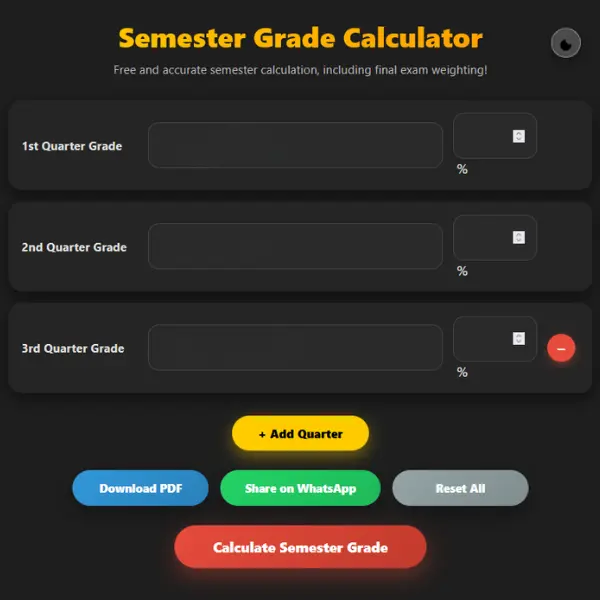
Step 2: Enter Grades for Each Quarter
Now enter your earned scores for each part individually. If you want to calculate just 1st quarter, then just leave the others blank.
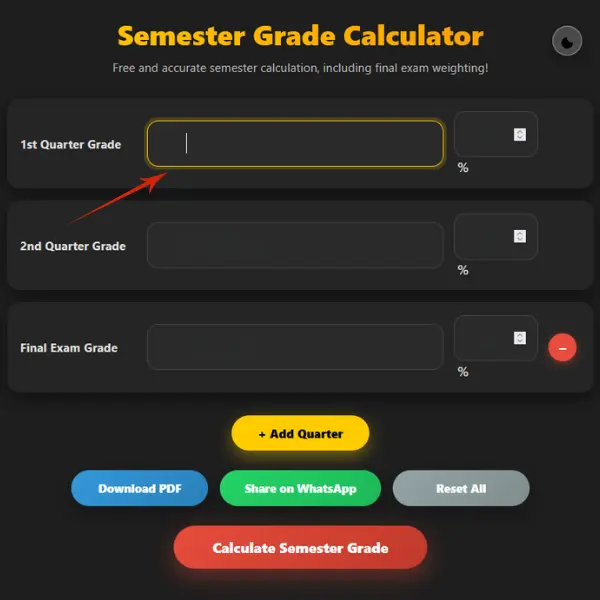
Step 3: Enter Weights for Each Quarter
Your academic institute will assign different weights for different quarters. So, after entering the marks for the portion for which you’re doing the calculation, you need to put a weight for it as well. If you want to do only one part’s calculation, then there is no need to input the value of the other ones; you can leave them empty.

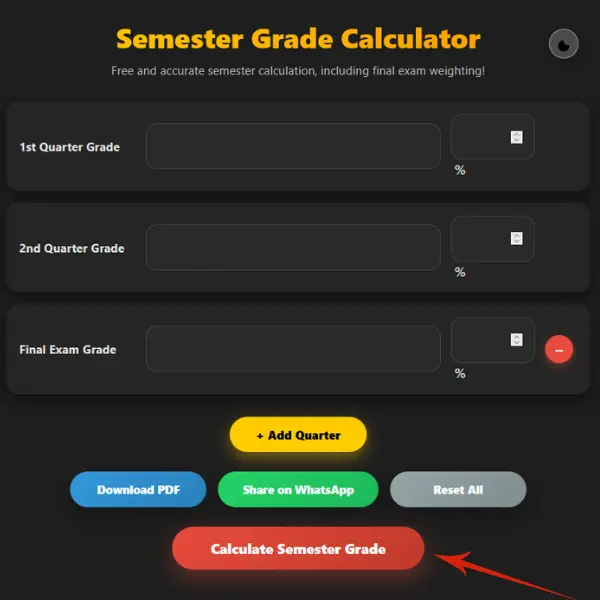
Step 4: Click the “Calculate” Button to Get Instant Results
After entering marks and proportions in the input fields, you just need to click the “calculate” button, and this semester grade calculator will automatically use the weighted formula for calculation and give you instant results.
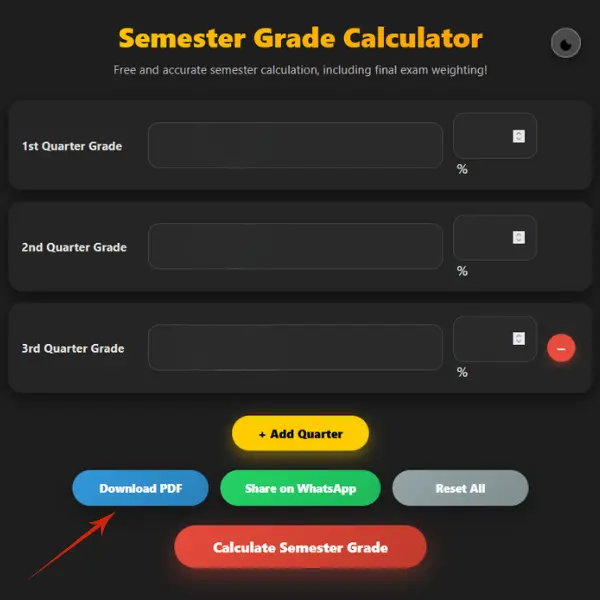
Step 5: Keep Record of Your Academic Performance
If you want to share your progress with your family, friends, or loved ones. You can click the “Share on WhatsApp” button to do so.
How to Calculate Semester Grades?
Knowing how to calculate grades can help you plan your academic journey and study strategies. Oregon State University explained it as semester grades are combined marks to provide a clear picture before final exams, so students will make moves according to their current performance. While technology made the estimation of scores much easier, if you still want to know and do all the math behind this estimation manually, you can follow the steps below to do it accurately.
Step 1: Enter Categories and Weights
Make a list of all categories like homework, quizzes, assignments, tests, class participation, and final exams, and now write weights that are assigned to each category, and make a sum of all categories’ proportions that will add up to 100.
Step 2: Enter Your Earned Scores for Each Category
Now write down your earned points and possible points in each category.
Step 3: Find Average of All Categories
Now you need to find the average of all categories. For this, you need to divide your earned points by the possible points and then multiply them by 100.
Step 4: See Your Current Semester Grade
Now multiply the average of all categories by their weights and make the sum of them the total. The result you see is your current standing in that study period.
Semester Grade Calculation Formula
You can estimate academic terms’ scores by using the above-mentioned method. But knowing the working formula that works for it will be a plus because it can give you a clearer picture. The formula works by combining each grading period, like the first, second, and final exams, according to their contribution to the overall marks.
So the formula for it is: Semester Grade = (1 Q × W) + (2 Q × W) + (Final × W).
To do it in the right way, you also need to know the category average formula, as well, which is: Category Average = (earned points / total possible points) * 100. By this, you will be able to convert weights into decimals, which is required to determine the study period accurately. Our semester grade calculator uses these formulas behind the scenes to give you an accurate answer. For percentage to decimal conversion, consider the table below:
| Percentage | Decimal |
|---|---|
| 10% | 0.10 |
| 20% | 0.20 |
| 25% | 0.25 |
| 40% | 0.40 |
| 55% | 0.55 |
| 100% | 1.00 |
Example Semester Grade Calculation
Calculation can become easier by considering the below examples while applying the specific formulas.
Example 1 – Current Semester Average
For current grade estimation, first, each category is averaged, and then each one is multiplied by its weight. After this, I added up all weighted values, and the total is the current semester result. For more understanding, consider the table below:
| Category | Scores Received | Category Average (%) | Weight (%) | Weight (Decimal) | Contribution |
|---|---|---|---|---|---|
| Homework | (85+90)÷2 | = 87.5 | 40 | 0.40 | 87.5×0.40 = 35 |
| Quizzes | (72+85+83)÷3 | = 80 | 20 | 0.20 | 80×0.20 = 16 |
| Tests | (62+80)÷2 | = 71 | 20 | 0.20 | 71×0.20 = 14.2 |
| Labs | (69+72+96+81)÷4 | = 79.5 | 20 | 0.20 | 79.5×0.20 = 15.9 |
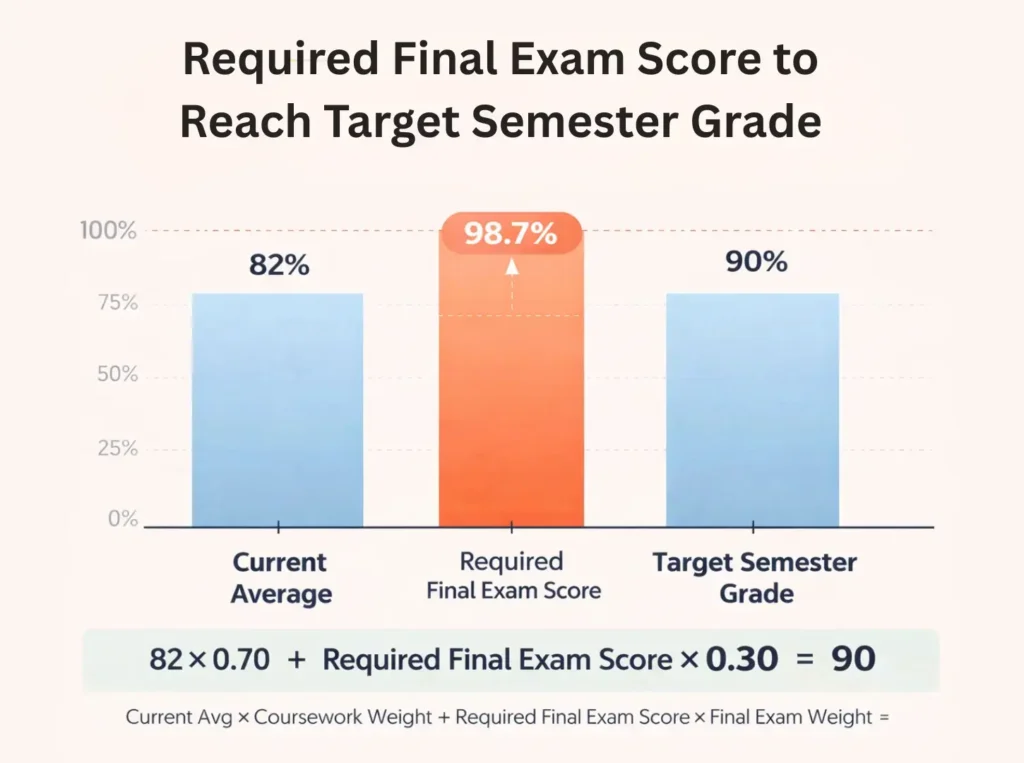
Example 2: What You Need on Your Final Exams After Semester
This example explains how to figure out what you need to achieve for your desired final score. In this process, to identify the required final exams, first, we multiplied weights by semester averages and then subtracted that value from the targeted one.
| Desired Goal | Portion | Current Weight | Final Exam Weight | Need to Score |
| 80 | 81.1×0.70= 56.77 | 70% | 20% | 77.43% |
In your educational studies, everything has its own importance. However, it is a fact that final exams have a greater impact on your grades, even in semester cumulative scores. For better understanding, consider the chart below:
Frequently Asked Questions
How can I find my weighted semester grade?
You can identify the weighted semester grade by simply multiplying each category with its weight and then making a sum of them by adding them together.
Between a semester What is the difference grade and GPA?
A semester grade presents a single class performance, but GPA represents your whole performance on the 4.0 grading scale.
How to identify the semester grade if my grades are in points, not in percentage form?
To calculate semester grades in points, you need to first convert them to percentages; for that, you need to divide your earned points by the possible total points and then multiply them by 100. You can avoid this complex math; you can use our semester grade calculator to get an instant result.